
Many non-profits tend to choose the cheapest or free web host, and that’s understandable because budgets are usually tight.
But here’s the thing: your web hosting is actually the foundation of your whole website.
Think of web hosting like the ground your website is built on. It affects how fast your site loads and how smoothly it runs.
This matters a lot because it impacts how people experience your website. For nonprofits, this can even make a difference in whether someone decides to donate or not.
That’s why picking the right web host is so important. You need something that’s affordable but still works really well.
In this article, I’ll share my top 4 choices for web hosts. These are popular, reliable, and offer great service, all without costing too much. They really offer what nonprofits need and give you good value for your money.
I won’t stop there, though. I’ll also tell you about 5 other web hosts you may want to look at. These options also perform well and come at good prices, giving you more choices that might fit your specific needs and budget.
One quick note before we start. I checked every price in this guide in September 2026. Hosting companies change their promotional rates often, so always confirm the current price on the host’s own website before you sign up.
One last thing before the list, because it changes what you’ll be doing on that hosting once it’s live.👇🏽

Charitable Now Works With the AI Assistant You Already Use
This is the most fun thing we’ve shipped all year, and you have to try it. You can now use ChatGPT, Claude, or any AI assistant you’re already using to build and launch fundraiser campaigns.
You can create donation records, manage donor profiles, fetch data, and get fundraising reports too. Simply connect your AI agent, and start asking for what you want.
No Charitable addon needed, no coding, and no elaborate setup. Anyone can do it!
Top 4 Web Hosts for Non-Profits and Donation Websites
1. Bluehost
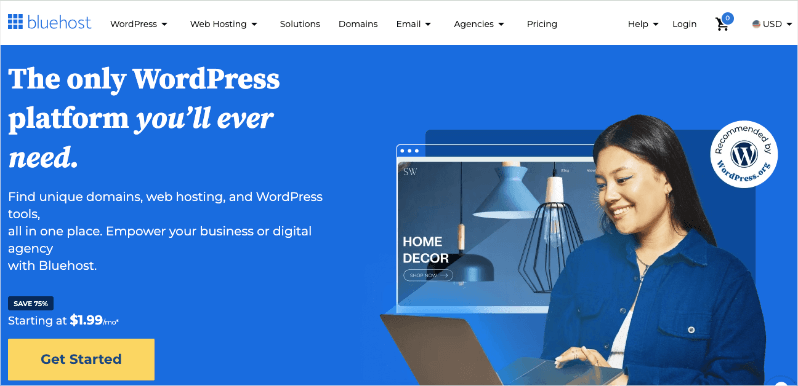
Bluehost is one of the most popular web hosting providers out there, and for good reason. They offer a solid mix of features, performance, and affordability that make them an excellent choice for nonprofit websites.
Why Bluehost is Great for Nonprofits:
Bluehost’s ease of use is perfect for nonprofits that might not have a dedicated IT team. The one-click WordPress installation makes it simple to build your nonprofit website and get it running quickly.
Bluehost now backs its plans with a 99.99% uptime service level agreement, which is a written promise about how much of the time your site will be reachable. That means your nonprofit’s website should be available when supporters need it most.
Their customer support is available around the clock, which can be a lifesaver when you’re working on your site outside of regular business hours.
The free domain name and SSL certificate help keep initial costs down, which is crucial for budget-conscious organizations. The entry-level Starter plan is also more generous than it used to be, with room for 10 websites and 10 GB of fast NVMe SSD storage.
As your nonprofit grows, Bluehost makes it easy to upgrade your plan without any downtime or complicated migrations.
Potential Drawbacks:
Bluehost offers competitive introductory rates, but the price goes up a lot when your term ends. The Starter plan renews at $9.99/month, which is more than double the introductory rate.
The 10 GB of storage on the Starter plan is also on the small side if you plan to publish a lot of photos or video from your events.
Overall, Bluehost provides a reliable, user-friendly hosting solution that can grow with your nonprofit.
Bluehost Key Features:
- Free domain name for the first year on 12 and 36-month terms
- One-click WordPress installation
- 24/7 customer support
- Free SSL certificate
- 10 websites and 10 GB NVMe SSD storage on the entry plan
- 99.99% uptime service level agreement
- User-friendly control panel
Bluehost Pricing:
Bluehost’s Starter plan begins at $3.99/month on a 36-month term, and renews at $9.99/month. The Business plan is $6.99/month for 50 websites and 50 GB of storage.
2. Hostinger
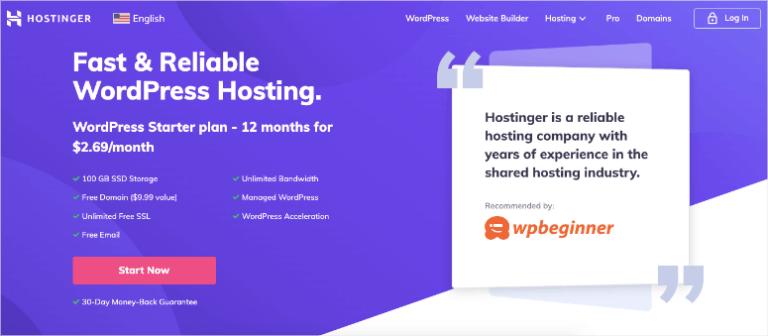
Hostinger is an excellent hosting option if you’re looking to maximize your budget without sacrificing quality. It has the lowest starting price of any host on this list.
Why Hostinger is Great for Nonprofits:
Despite its low cost, it doesn’t compromise on speed, utilizing LiteSpeed Web Server technology to significantly boost your website’s performance. The custom-built hPanel is intuitive and easy to navigate, making it perfect for nonprofits without extensive technical expertise.
As your organization grows, Hostinger offers seamless upgrades to more powerful plans without any complicated migrations.
Security is a priority, with free SSL certificates and automatic backups to keep your nonprofit’s data and donor information safe. Thanks to their global network of data centers, your website can load quickly for visitors regardless of their location.
To top it off, Hostinger provides a wealth of tutorials and guides, helping you make the most of your hosting experience and empowering your nonprofit to manage its online presence effectively.
Potential Drawbacks:
Phone support is not available, which could be an issue if you prefer that method of communication.
The entry-level Premium plan is also more limited than it once was. It covers 3 websites and 20 GB of storage, and it backs up your site weekly rather than daily. If you want daily backups and room for more sites, you’ll need the Unlimited plan.
Overall, Hostinger offers an impressive balance of affordability and performance. Its low entry price point and user-friendly interface make it an attractive option if you’re looking to establish or improve your online presence without straining the budget. However, be sure to carefully consider your needs to ensure the basic plan will be sufficient for your organization.
Hostinger Key Features:
- Free domain name for the first year
- User-friendly custom control panel
- One-click WordPress installation
- Free SSL certificate, email, and CDN
- Weekly backups on the Premium plan, daily backups on Unlimited and above
- 24/7 live chat support
- 30-day money-back guarantee
Hostinger Pricing:
Hostinger’s Premium plan starts at an incredibly low $2.99/month on a 48-month term, and renews at $10.99/month. The Unlimited plan is $3.99/month for unlimited websites and 50 GB of NVMe storage.
3. SiteGround
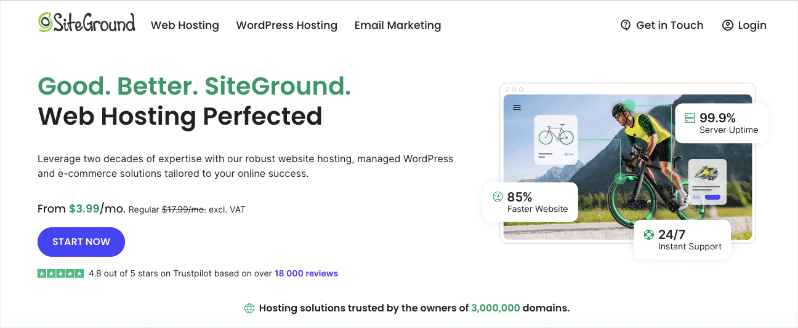
SiteGround is a popular web hosting provider that has earned a reputation for excellent performance and top-notch customer support. They’re not the cheapest out there, but many nonprofits find that the extra cost is worth it for the peace of mind and better performance they get.
Why SiteGround is Great for Nonprofits:
SiteGround offers robust hosting services that are fast and secure so you can be sure your non-profit website will function at its best. It’s great for small and medium-sized websites.
If you want to hand off technical aspects of your site like setup, migration, updates, and security, then you can choose one of SiteGround’s Managed WordPress hosting plans.
What stands out about SiteGround is that every plan comes with unlimited traffic. This means there’s no cap on the number of visitors or the amount of data transfer your website can receive. Your website can handle sudden spikes in traffic during peak seasons like Christmas or Giving Tuesday without extra charges or being slowed down.
Keep in mind that “unlimited” isn’t truly without limit. SiteGround, like most hosts, still has acceptable use policies to prevent abuse of their services.
A big plus point is that as a customer of SiteGround’s services, you’ll be happy to note that the energy used to host their websites comes from renewable sources.
SiteGround’s main data center partner, Google Cloud, matches 100% of the energy consumed by their global operations with renewable energy and maintains a commitment to carbon neutrality.
Potential Drawbacks:
SiteGround’s pricing is higher than that of some competitors, especially after the initial promotional period. The StartUp plan jumps from $3.99/month to $17.99/month when your first year is up, which is the steepest renewal increase on this list.
Their entry-level plan also has relatively low storage space at 10 GB, and it covers only 1 website, which might be limiting for some nonprofits.
Overall, SiteGround offers a high-quality hosting solution with exceptional support and performance. While it may be pricier than some alternatives, the added value in terms of speed, security, and support can make it a worthwhile investment for nonprofits that prioritize website performance and can accommodate the cost in their budget.
SiteGround Key Features:
- Free website migration
- Free SSL certificate and CDN
- Free email accounts
- Daily backups
- Unlimited traffic on every plan
- 24/7 customer support
- WordPress auto-updates
- Custom-built site tools
- 30-day money-back guarantee
SiteGround Pricing:
SiteGround’s StartUp plan begins at $3.99/month for the first year, then renews at $17.99/month. GrowBig is $6.69/month and adds unlimited websites and 50 GB of storage.
4. Levamo
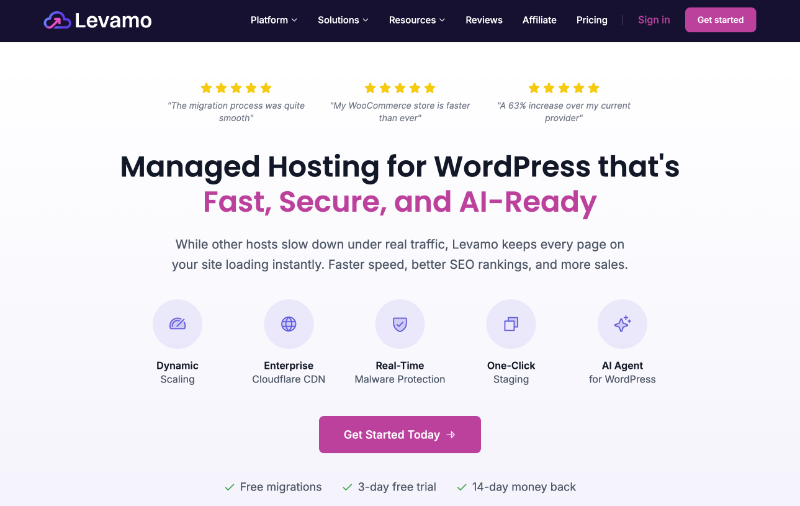
Levamo is the newest name on this list, and it works a little differently from the other three. It’s managed hosting, which means the company handles the server work, updates, caching, and security for you instead of leaving it in your hands.
Levamo was previously called Rapyd Cloud, and it comes from the team behind BuddyBoss.
Charitable uses Levamo to power our own marketing site and a variety of test and internal sites that the Charitable Team uses everyday to monitor the health and testing on new features in various hosting environments.
Our experience with Levamo is top notch – they are very responsive, understand WordPress VERY well – which is a key reason why interacting with their support team feels more like they are a part of a team rather than simply dealing with someone who responds to support tickets.
Fast, friendly, security-conscinece and responsive. If you have any critical site accepting transactions, donations, or any payment – we high recommend them.
I want to be upfront about the price. Levamo starts at $29/month, which is far more than the other hosts here.
It earns a place on this list for a specific reason, so let me explain who it’s actually for.
Why Levamo is Great for Nonprofits:
Donation pages behave differently from a normal web page. A campaign page has to check the running total, the recurring giving options, and whether a donor is logged in, and it does this every single time someone loads it.
That kind of page can’t be stored as a fixed copy and served over and over, which is how cheap shared hosting normally makes sites feel fast. So a donation form is often the slowest page on a nonprofit site, right at the moment when speed matters most.
Levamo is built for exactly this. Each site runs in its own isolated container with its own dedicated resources, so another customer’s traffic spike can’t slow down your donation checkout.
On the Business plan and above, they add an object cache using KeyDB and Redis. In plain terms, that stores the results of repeated database lookups in memory, so campaign totals and donor dashboards stay quick even during a rush of giving.
Every plan also includes Cloudflare’s Enterprise CDN across more than 300 edge locations, which serves your campaign pages from a location near each donor, wherever in the world they are.
On the security side, you get a web application firewall, which is a filter that blocks common attacks before they reach your site, along with malware scanning, free SSL, and DDoS protection.
Backups run daily to offsite storage with one-click restore, so a bad plugin update won’t cost you your campaigns, donor records, or transaction history.
They also back everything with a 99.99% uptime service level agreement, free migration with no downtime, and 24/7 live chat with people who work on WordPress all day.
Potential Drawbacks:
The price is the obvious one. At $29/month billed annually, Levamo costs roughly 7 times what Bluehost or Hostinger ask for their entry plans. For a small organization running a simple brochure site with a donate button, that money is better spent elsewhere.
The Starter plan also covers 1 website and 25,000 monthly visits, so a busy campaign period could push you into the next tier at $99/month.
Levamo doesn’t sell domains or email hosting either, so you’ll need to handle those separately. And I couldn’t find a dedicated nonprofit discount, so ask their team directly before you commit.
Overall, Levamo is the option to consider once your fundraising is big enough that a slow donation form actually costs you money. If you run year-end appeals, recurring giving programs, or peer-to-peer campaigns that spike hard on a single day, the extra cost starts to make sense. If you’re just getting started, one of the three hosts above will serve you better.
Levamo Key Features:
- Isolated cloud containers with dedicated resources
- Cloudflare Enterprise CDN across 300+ edge locations
- KeyDB and Redis object cache on Business plans and above
- Automatic scaling during traffic spikes on Business plans and above
- Web application firewall, DDoS protection, and malware scanning
- Daily offsite backups with one-click restore
- Free SSL certificate and free migration with no downtime
- One-click staging site
- 99.99% uptime service level agreement
- 24/7 live chat support
- 3-day free trial and a 14-day money-back guarantee
Levamo Pricing:
Levamo’s Starter plan is $29/month when billed annually at $348 per year, which works out to 2 months free, or $35/month if you pay monthly. That covers 1 site, 25,000 monthly visits, and 10 GB of SSD storage. The Business plan is $99/month billed annually and covers 3 sites and 75,000 monthly visits.
I’ve covered our top four picks for nonprofit web hosting, which are Bluehost, Hostinger, SiteGround, and Levamo. However, the web hosting world is big, and there are other companies that offer great features and prices that might work well for your nonprofit.
Let’s look at a few other hosts you might like. They mix affordability, good performance, and special features that could be just what you need.
Remember, the best host for you depends on what your organization needs, how tech-savvy you are, and what your budget looks like. So, let’s explore these other options to make sure you know about all the good choices available.
More Web Hosts for Non-Profits Websites
1. DreamHost: Known for reliability and commitment to open-source. Offers a free shared hosting plan for 501(c)(3) or 501(c)(19) nonprofits, including a free domain, unlimited traffic, and unlimited storage.
Their user-friendly control panel and one-click WordPress installer make it easy for nonprofits to get started quickly. You’ll need your IRS determination letter to apply, and the discount stays active for the lifetime of the account.
2. Hosting.com (formerly A2 Hosting): A2 Hosting rebranded to Hosting.com, and existing A2 links and accounts still work.
The lineup is now Starter, Pro, and Max, and the fast setup that A2 once reserved for its pricier Turbo plans is included on every tier. That means LiteSpeed web server and NVMe SSD storage across the board.
You also get free site migration, a free domain, 24/7 support from in-house staff, and a 99.9% uptime service level agreement. Plans come with a 30-day money-back guarantee.
3. HostGator: User-friendly hosting with affordable plans. Provides a 45% discount for nonprofits on all hosting plans.
Their plans include unmetered bandwidth, free SSL certificates, and a free domain for the first year. HostGator’s drag-and-drop website builder can be particularly useful for nonprofits looking to create a professional-looking site without coding knowledge.
4. InMotion Hosting: Business-oriented hosting with excellent support. Offers free data backups and strong uptime guarantees.
Their plans include free SSL, free email accounts, and a security suite to protect your nonprofit’s website. InMotion also provides a 90-day money-back guarantee on shared and WordPress hosting plans, giving nonprofits ample time to test their services.
5. GreenGeeks: Eco-friendly hosting powered by renewable energy.
They match 3X the amount of energy consumed by their operations with wind energy credits through the Bonneville Environmental Foundation. Offers free nightly backups, free CDN, and free site migration.
The Lite plan starts at $2.95/month on a 12-month term and renews at $13.95/month. Their commitment to sustainability can align well with environmentally conscious nonprofits’ values and mission statements.
Now that we’ve covered the list of the best web hosting providers for non-profits and donation sites, I’ll reveal my tips on how to choose the right web host and what to look for.
Bonus: Tips On Choosing the Right Web Hosting Provider For Your Non-Profit or Fundraising Website
When choosing a web host for your nonprofit or fundraising website, keep these key factors in mind:
- Affordability: Look for hosts that offer nonprofit discounts or have budget-friendly plans. Remember, the cheapest option isn’t always the best, but your hosting shouldn’t break the bank either.
- Renewal price, not just the intro price: Nearly every host on this list advertises a low first-term rate that goes up sharply at renewal, sometimes by 3 or 4 times. Check what you’ll pay in year two before you sign up.
- Reliability and uptime: Your site needs to be available when supporters visit. Look for hosts with at least a 99.9% uptime guarantee.
- Security features: Protecting donor information is crucial. Choose a host that offers SSL certificates, regular backups, and malware scanning.
- Scalability: As your nonprofit grows, your hosting needs might change. Pick a host that allows easy upgrades.
- User-friendly interface: Unless you have a dedicated IT team, you’ll want a host with an easy-to-use control panel.
- Customer support: Look for 24/7 support, especially if you’re not tech-savvy.
- Speed and performance: Fast-loading pages improve user experience and can impact donation completions.
- Integration options: Ensure the host supports the tools you need, like donation platforms or email marketing services.
- Compliance: If you handle sensitive data, make sure your host meets the relevant standards. The main one is PCI-DSS, a set of security rules for any site that handles card payments.
- Backup options: Regular, automated backups can save you headaches down the road. Check how often they run, because some entry-level plans back up weekly rather than daily.
Remember, the best host for your nonprofit will depend on your specific needs, technical skills, and budget. Take the time to assess your requirements and compare different options before making a decision. Don’t be afraid to reach out to hosting providers with questions, because their responsiveness can give you a good idea of their customer service quality.
By choosing the right web host, you’re setting a strong foundation for your nonprofit’s online presence, making it easier to reach supporters, share your mission, and achieve your fundraising goals.
That’s all. I hope you found this guide helpful. You may also want to check out the Best Non-Profit Themes for WordPress Sites and 25 Best WordPress Plugins for Non-Profits.
Charitable Has 1.2+ Million Downloads!
Trusted by millions to power successful fundraising campaigns. Try Charitable risk-free today.
✅ 14-day money-back guarantee
✅ Transparent pricing
✅ Code-free setup
What’s New in Charitable
We also launched several new features and improvements recently:
💰
Donors set up a repeating gift once on Windcave, and Charitable bills every renewal after that on schedule.
⚡
Build donor follow-up workflows by dragging blocks around, with no code anywhere.
🧩
Native campaign widgets for the Elementor, WPBakery, and Divi page builders.
🗒️
Choose the thank-you page each campaign’s donors see, without editing a template file.
We’ve been adding to Charitable constantly, features and improvements designed to help you raise more and serve your donors better. See everything we’ve shipped at the Charitable Changelog.
Stay Connected for More Nonprofit Resources
For more tutorials and videos tailored to nonprofits, subscribe to our YouTube channel. We regularly publish expert tips, step-by-step guides on online donations, fundraising strategies, and practical resources to help your organization succeed.
🗞️ Get weekly tips and exclusive guides in your inbox
Join our newsletter →
🎥 Watch step-by-step tutorials and success stories
Subscribe to our YouTube channel →
👩🏽💻 Connect with our community and get daily nonprofit insights
Follow us on LinkedIn →
🥳 Fun reels and non-profit insights
Follow us on Instagram →
👀 Insightful & fun videos to help you grow your cause
Follow us on TikTok→
🌎 Subscribe and follow for general fundraiser tips
Get Fundraiser Tips on TikTok →
Powerful Fundraising Resources
🤖 Use Charitable with Your AI Assistant
⬇️ Download proven strategies, campaign ideas, and expert tools
Get the Fundraising Kit →
💸 Get Free Fundraising Resources
Head to the Charitable Fundraising Hub →
🤔 Got questions about Charitable?
Charitable FAQs →
🏎️ Take Charitable for a spin
Create your Charitable Demo →
Understand non-profit terms and jargon
Non-Profit Glossary →
% Looking for non-profit deals and discounts?
Best Non-Profit Deals and Discounts →






Leave a Reply